How to create pick up request (Specimen ready for collection)
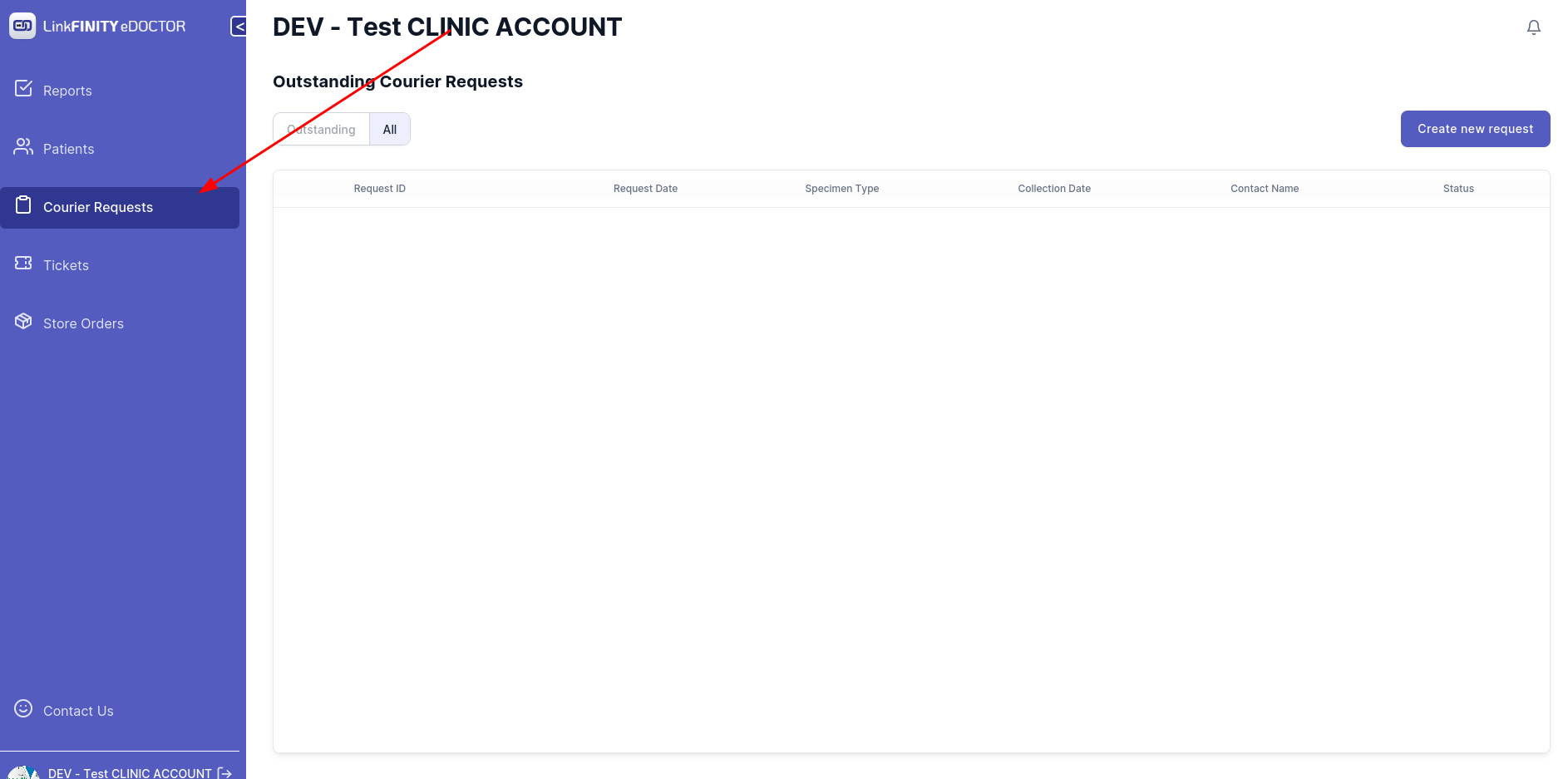
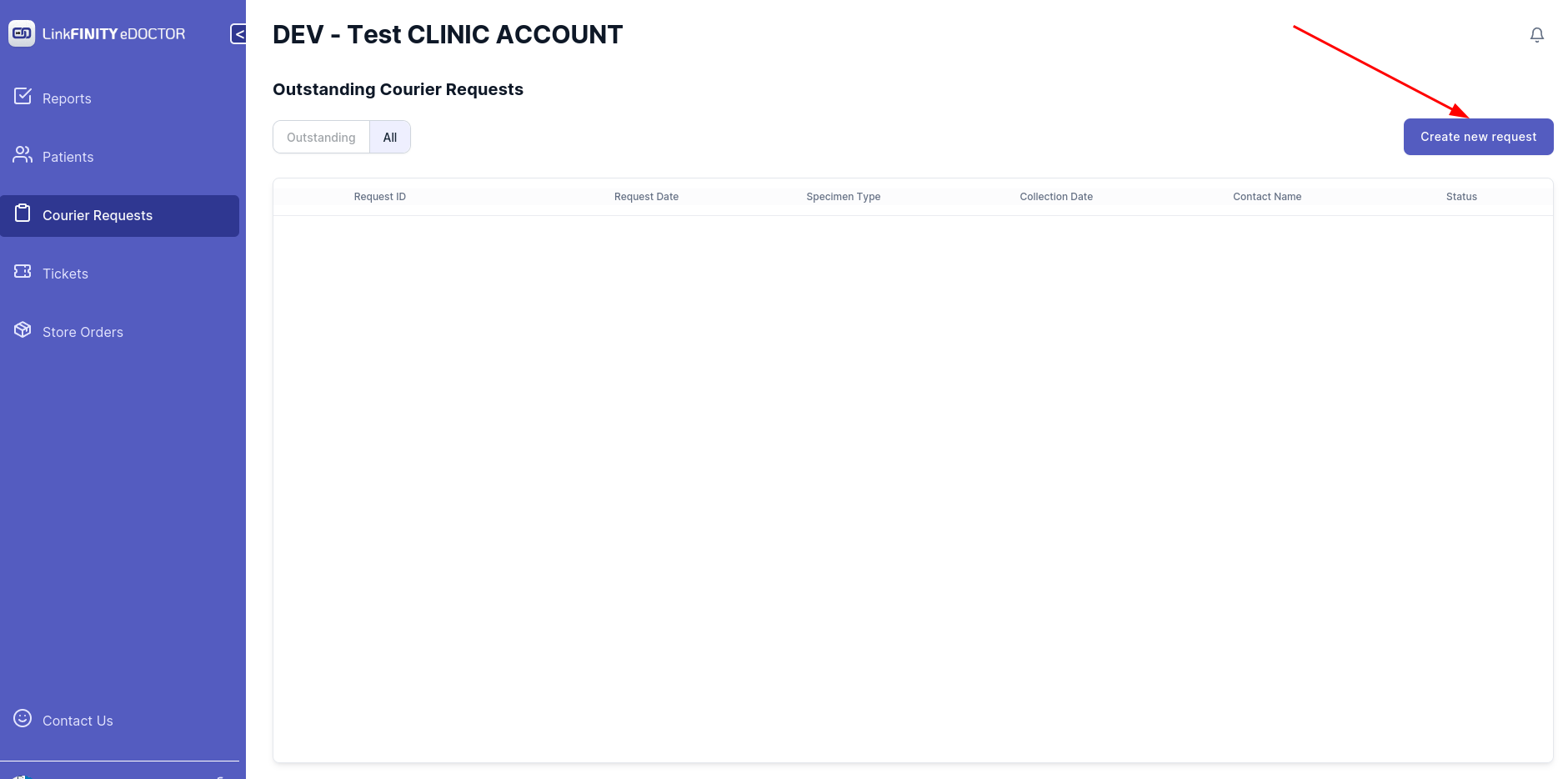
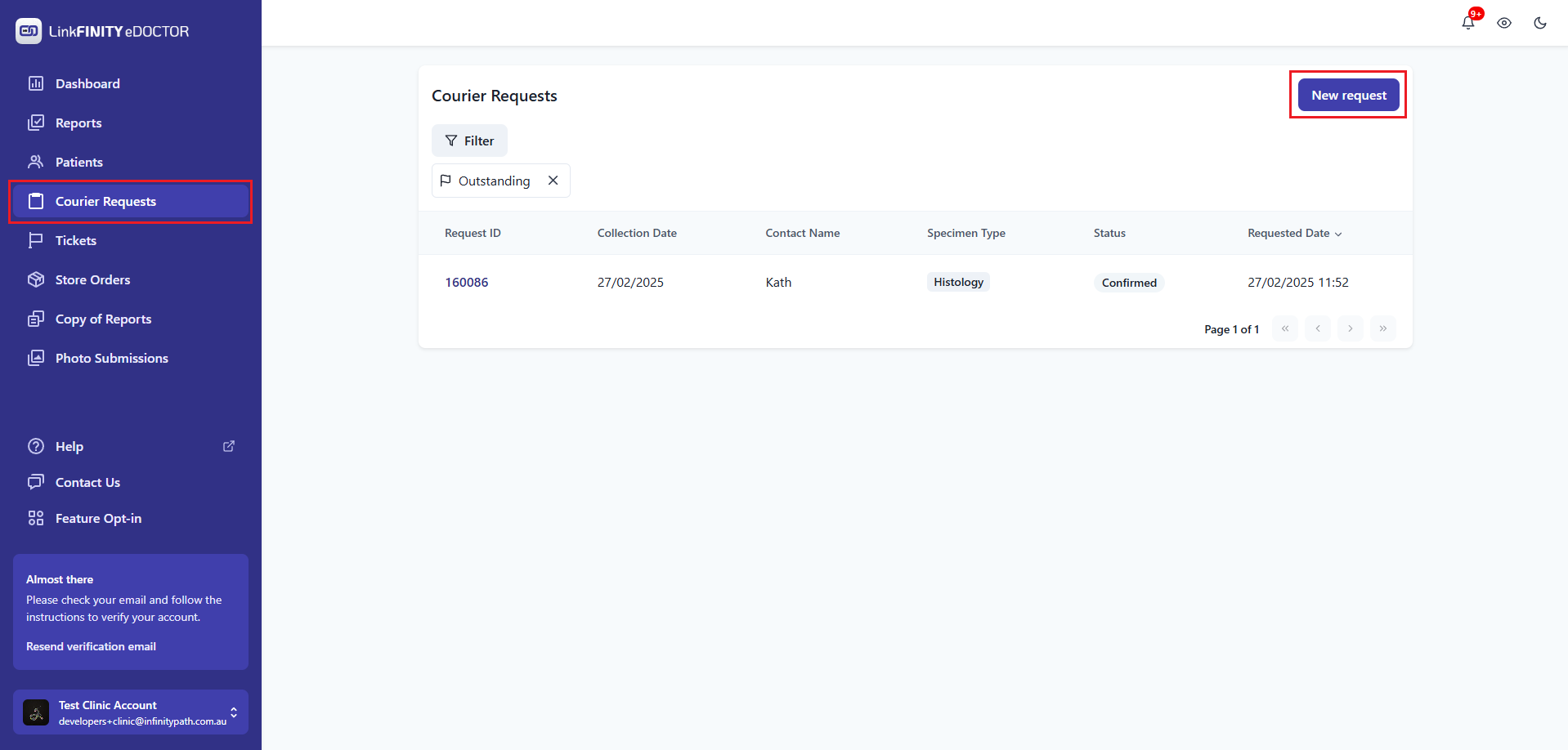
    1. NavigateAccess tothe Courier Request tab

image-1663644238117.pngPlatform:

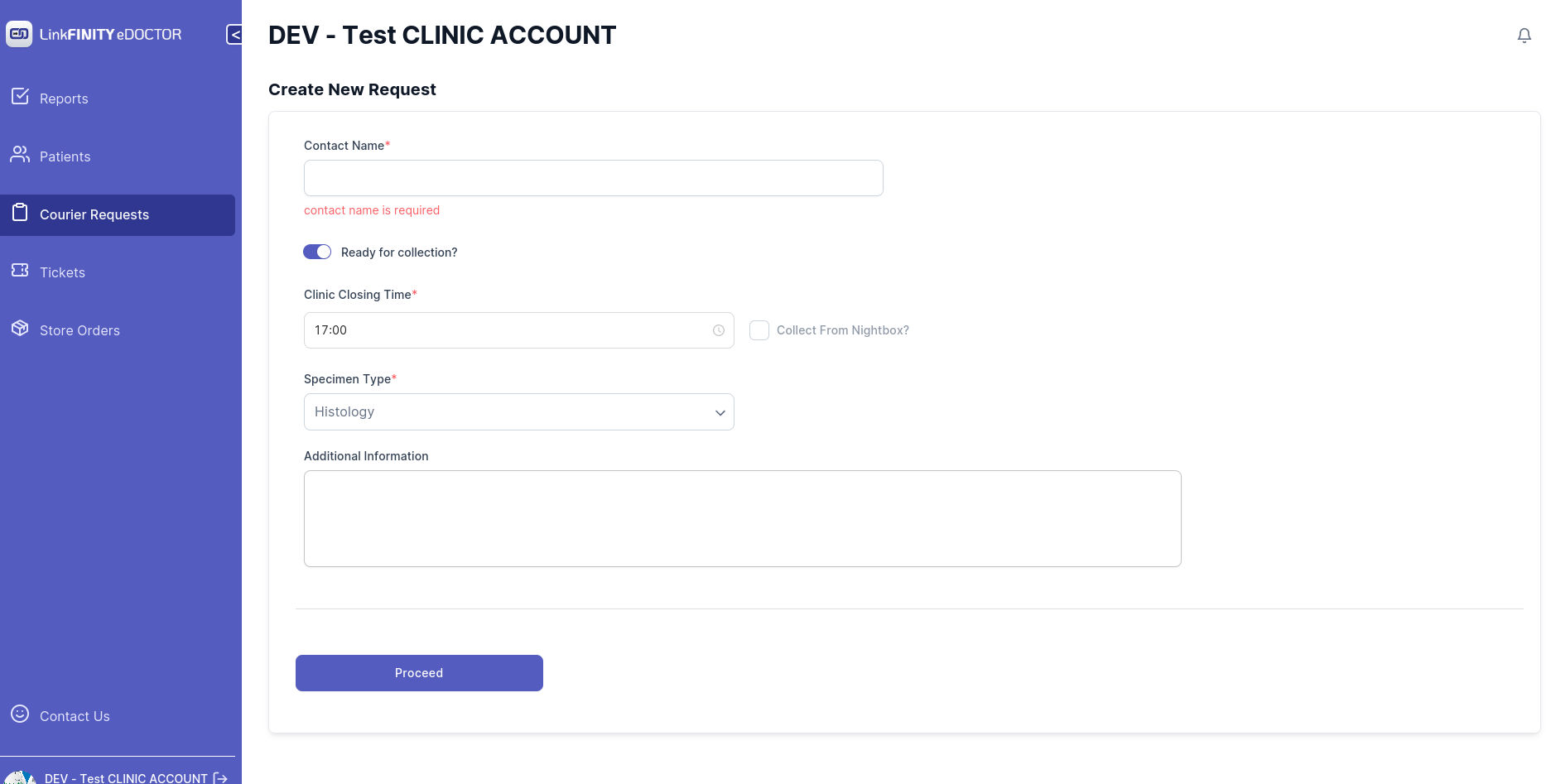
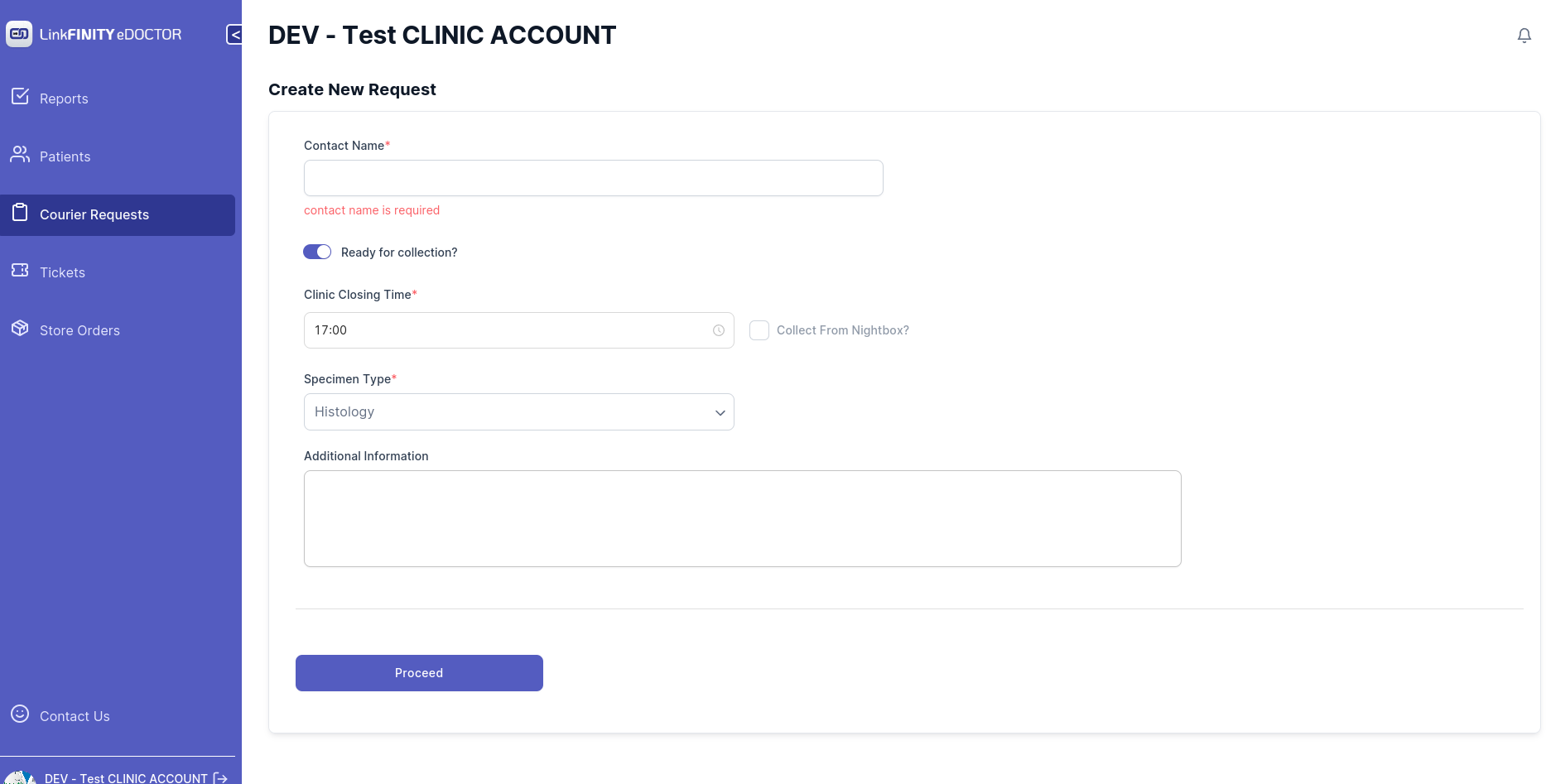
image-1663644263164.pngInitiate a New Request:

  • BelowIn pagethe shouldsidebar, showselect up image-1663644321039.pngCourier Requests.
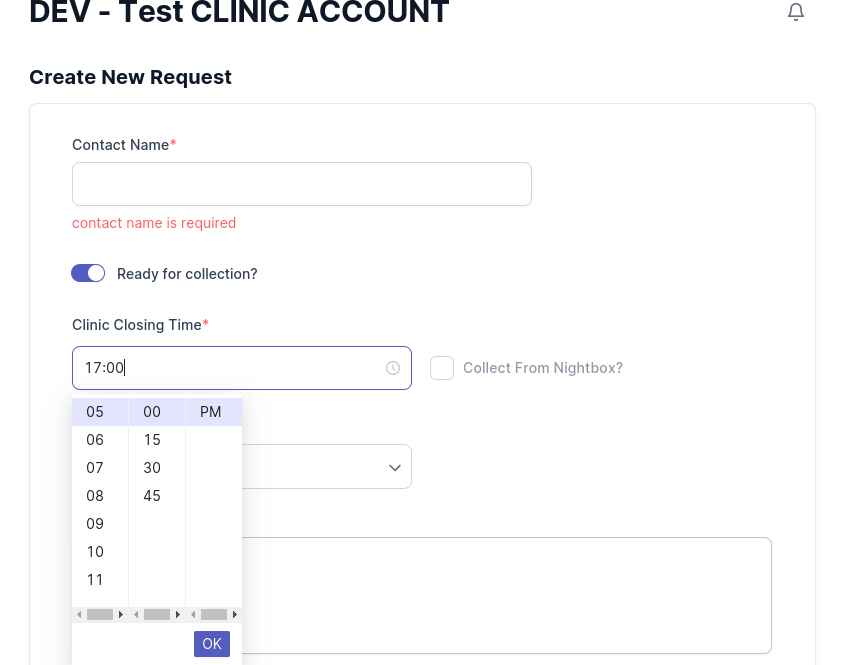
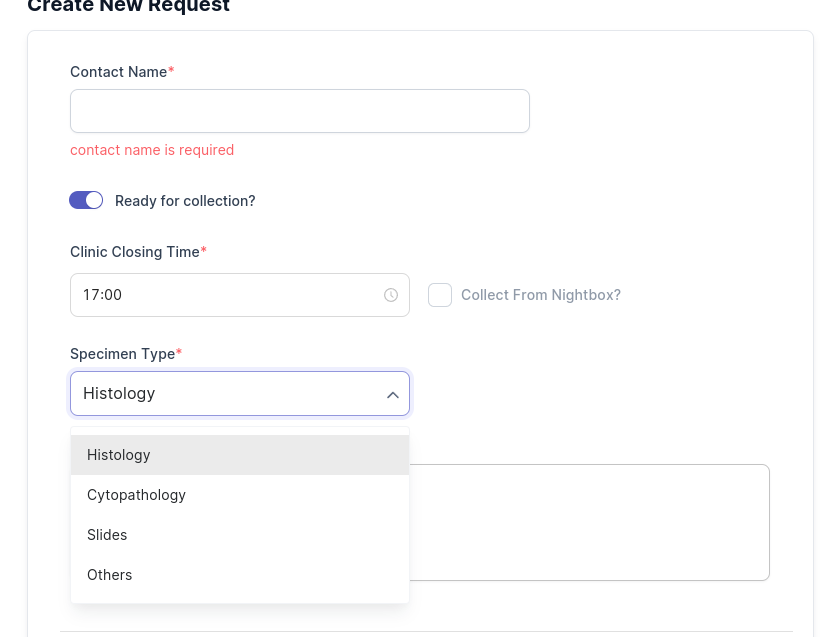
Select your clinic closing time 


image-1663644677638.png

    Select your specimen type 

    image-1663644700478.png


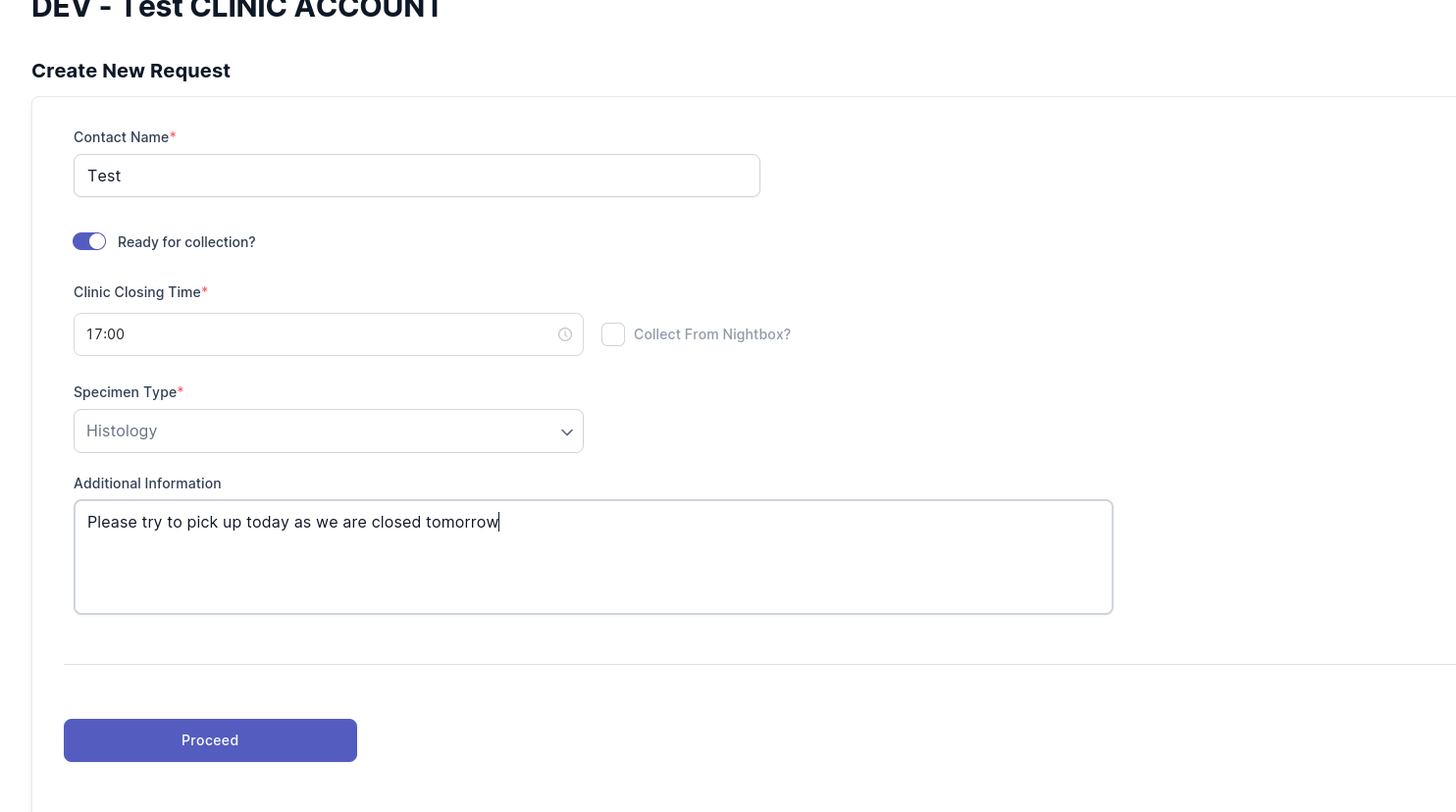
      Add any additional information if needed 

      image-1663648771321.png


      • Click on the `Proceed`New button request button.

      Capture.PNG

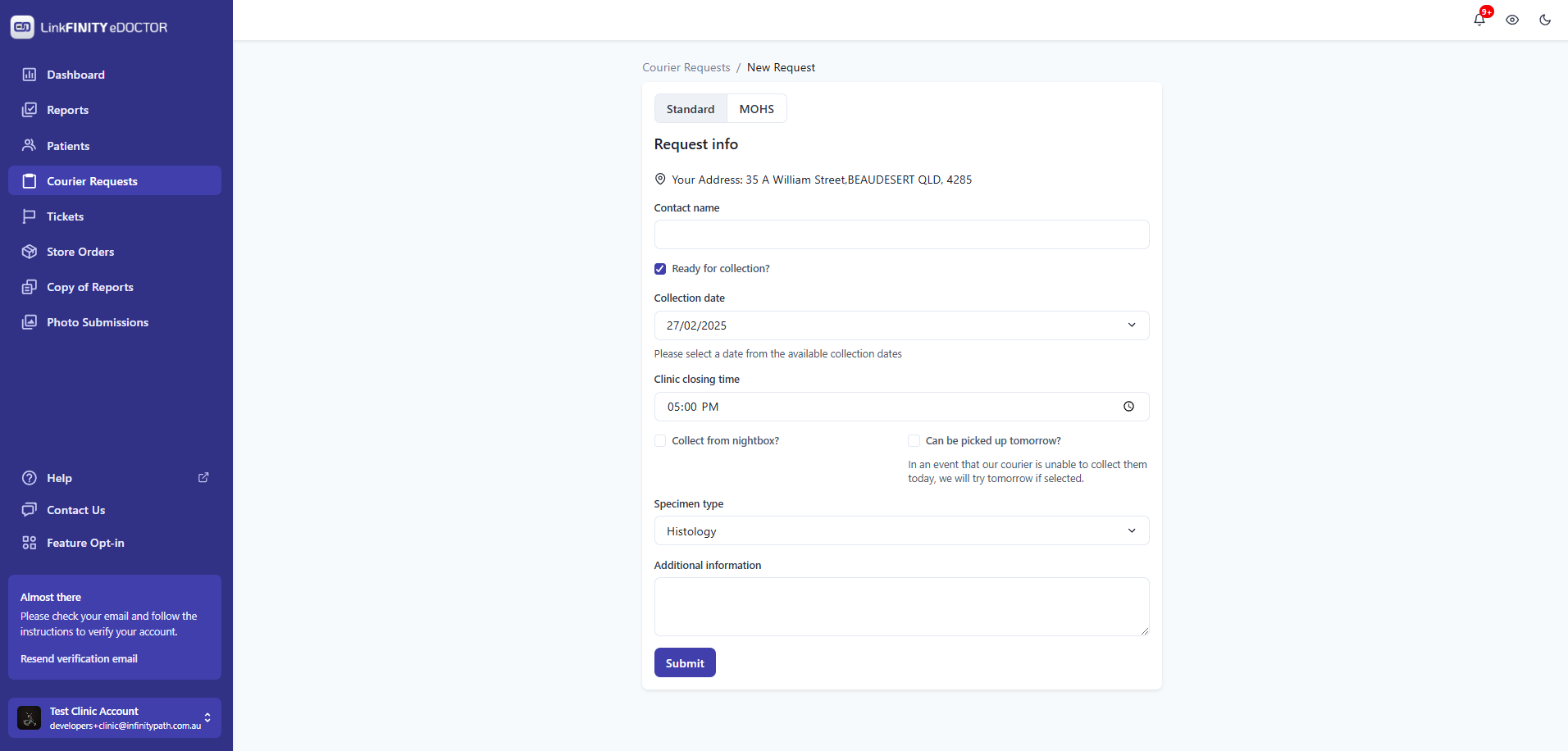
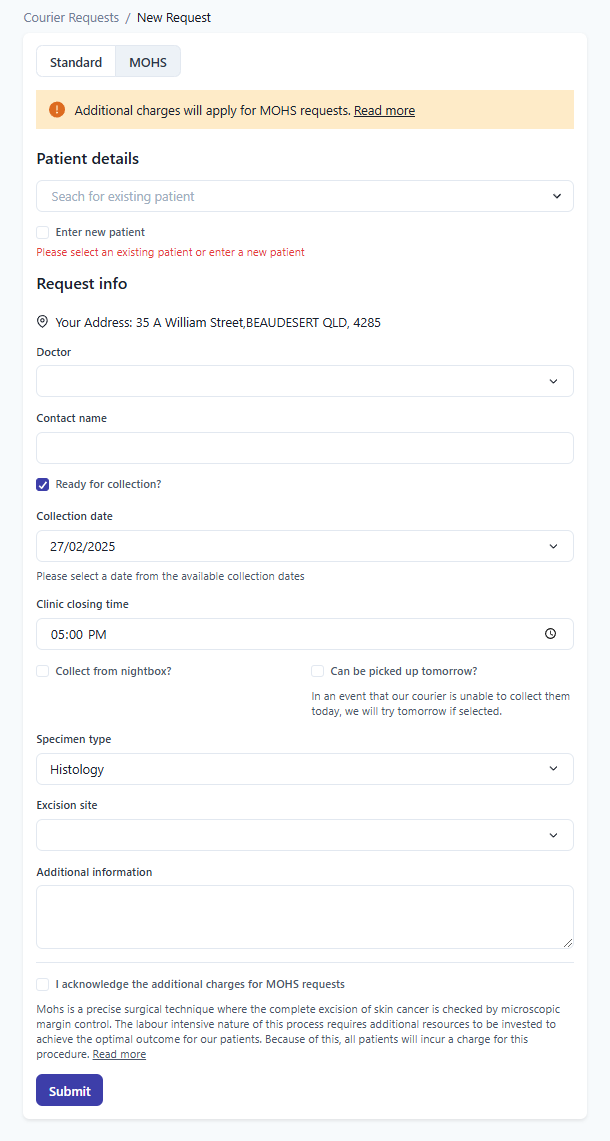
        For a Standard Request:
          Verify Address: Ensure your address is correct. Contact support if it isn't. Enter Request Details: Fill in all necessary information about the collection. Submit the Request: Click Submit to finalize.

          Capture2.PNG

            For a MOHS Request:

              Verify Address: Confirm your address is accurate. Reach out to support if changes are needed. Input Detailed Information: Include all request details, such as Date of Birth (DOB). Acknowledge Additional Charges: Check the box to accept any extra fees associated with MOHS requests. Finalize Submission: Click Submit to complete your request.

              image-1663648819665.pngCapture3.PNG

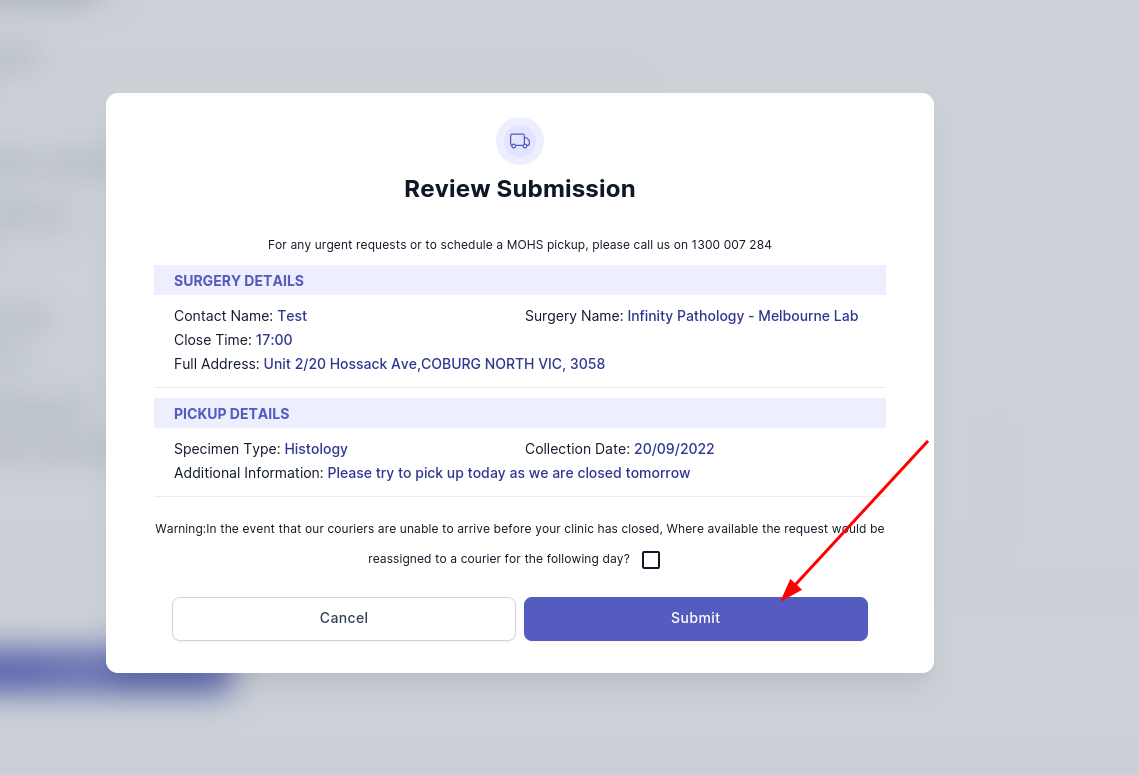
                Click on submit button 

                image-1663648932823.png

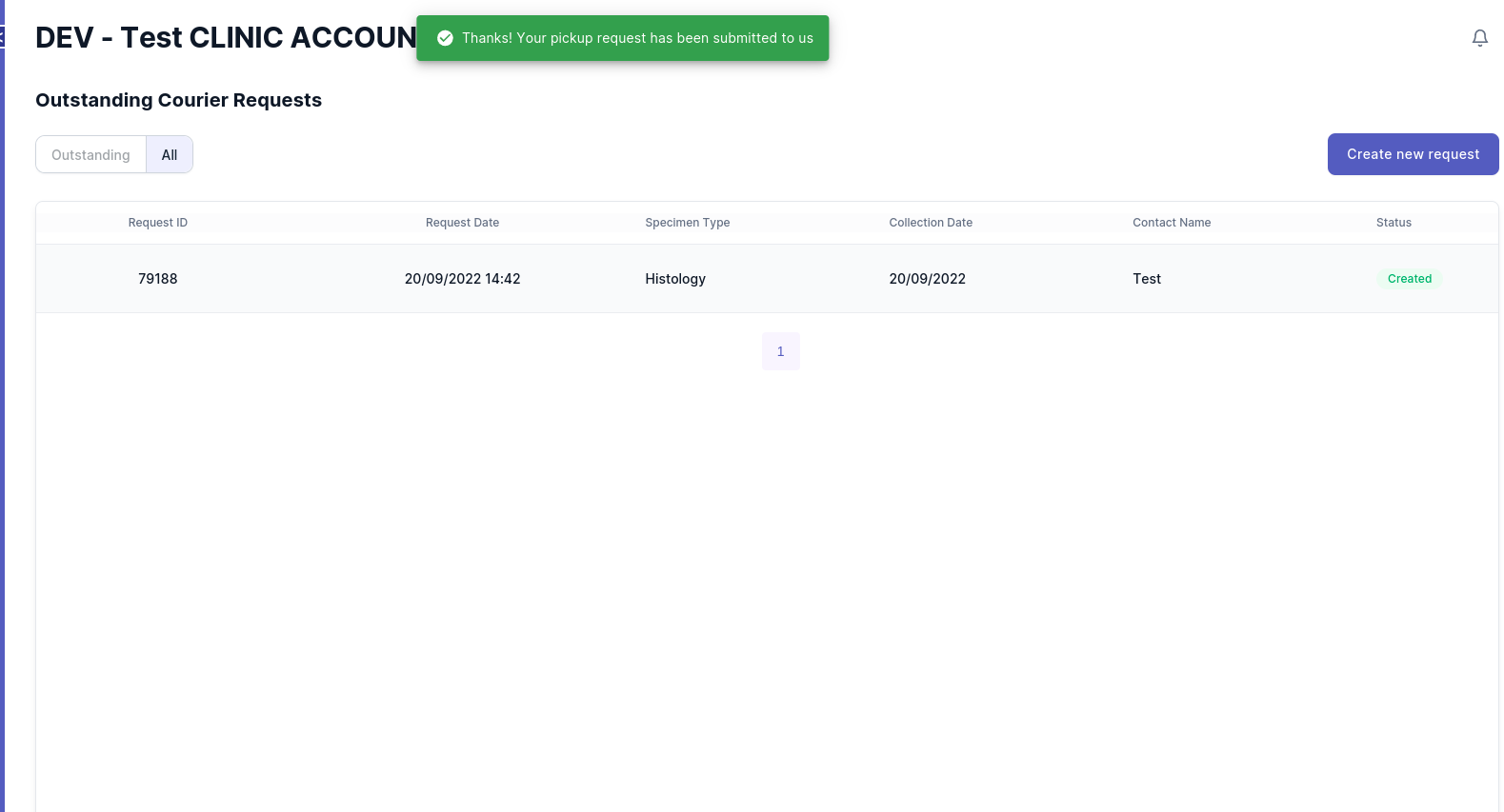
                By
                  following Ifthese steps, you receivedcan thisefficiently message,manage theand picktrack upyour requestcourier hasrequests beenfor submittedmedical successfully

                  image-1663649007604.pngspecimens.


                    if you encountered a problem. please send a email to eDoctor@linkfinity.com.au for support.