How to create pick up request (Specimen ready for collection)
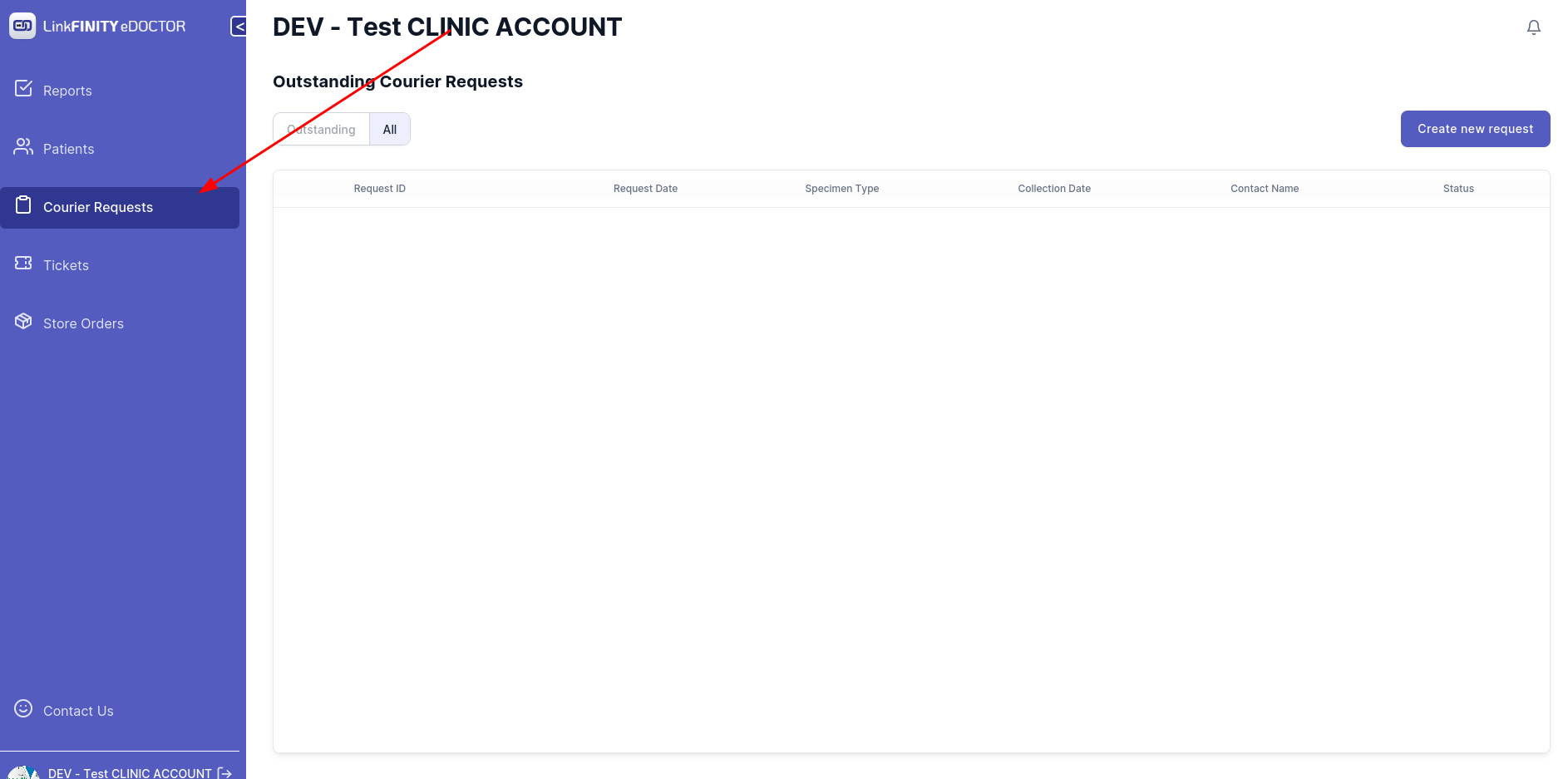
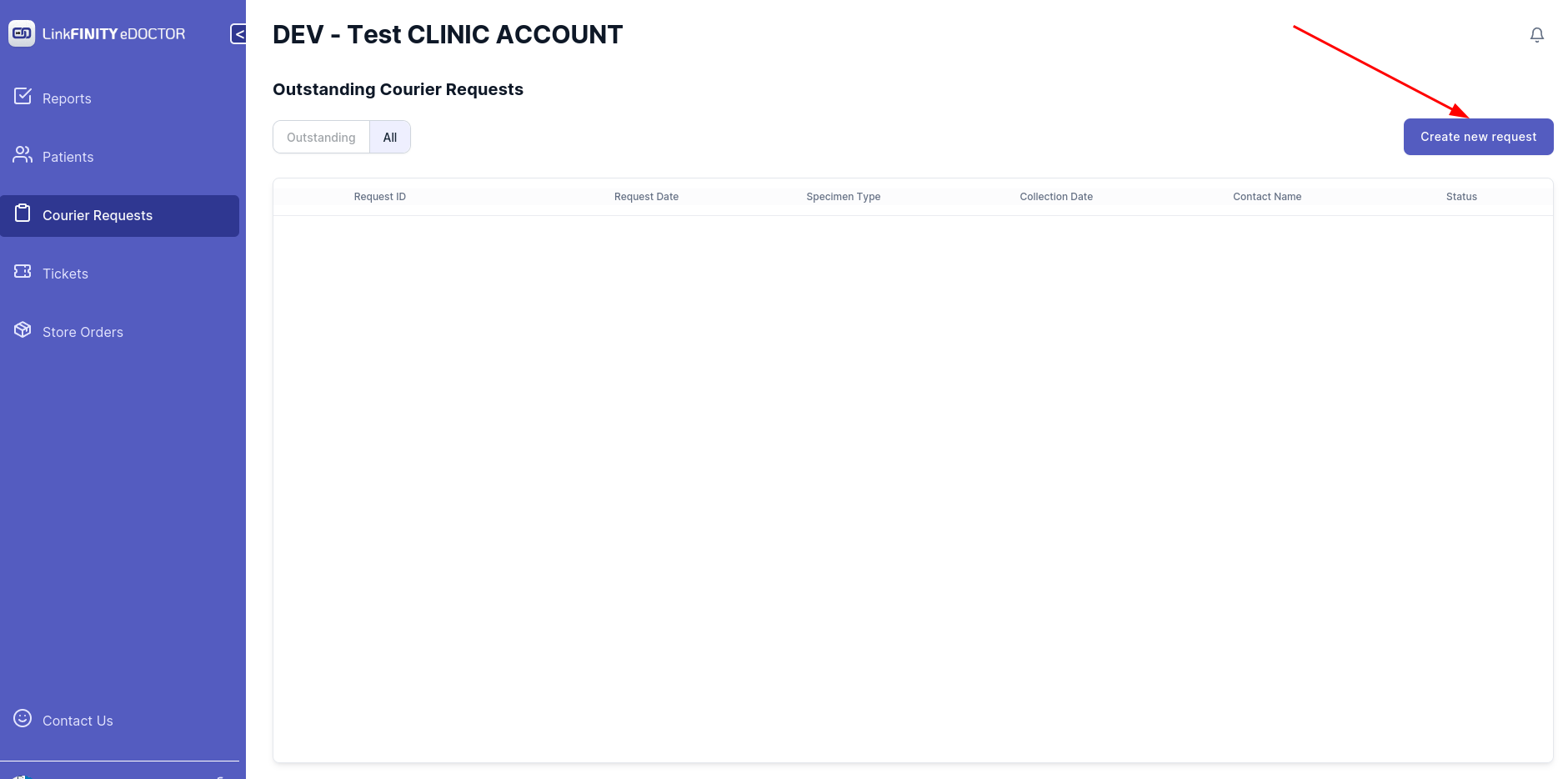
  • Navigate to Courier Request tab


    image-1663644238117.png

    •  Click on `Create New Request` tab

     image-1663644263164.png

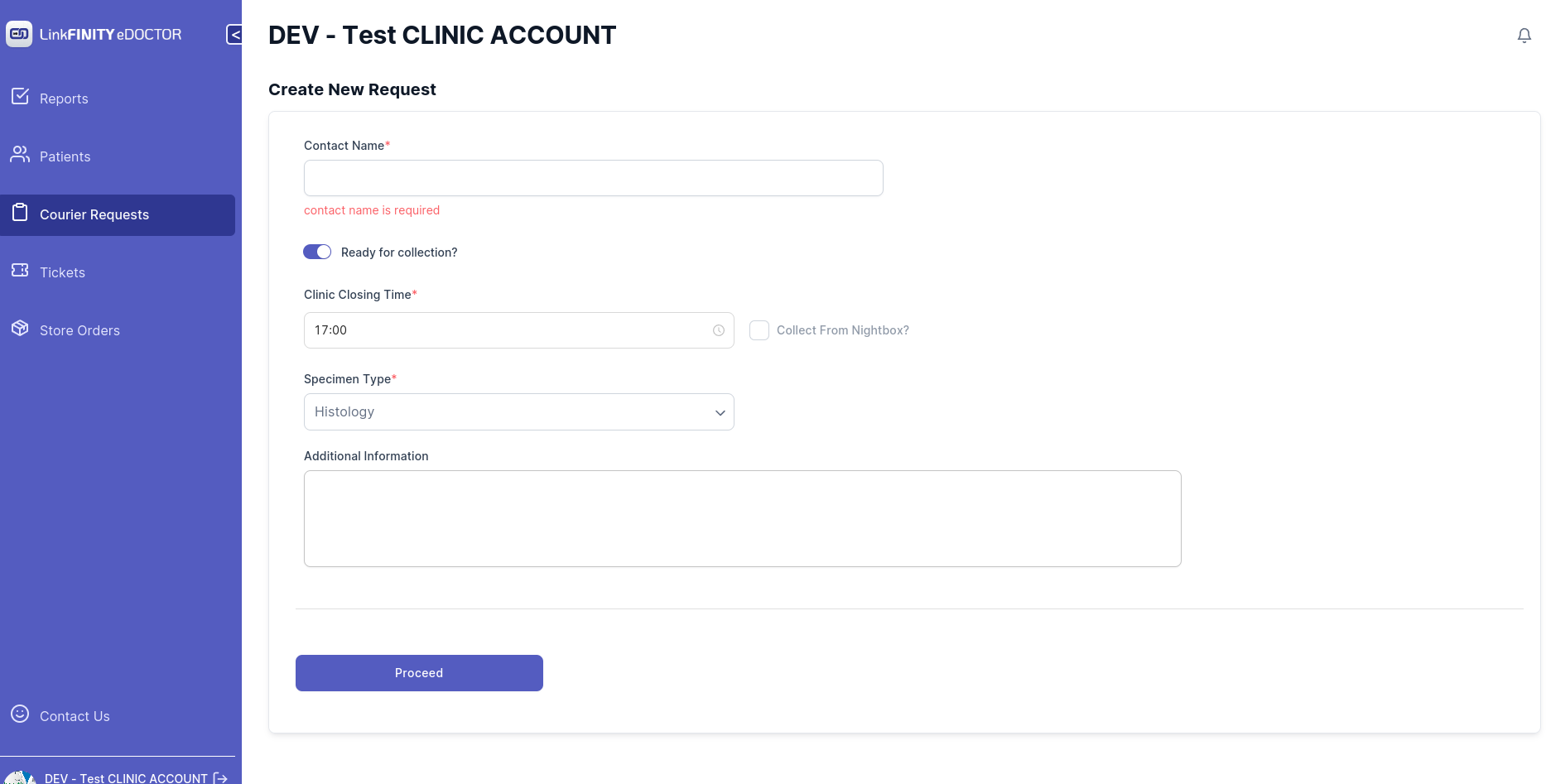
      image-1663644263164.png Below page should show up 


        image-1663644321039.png

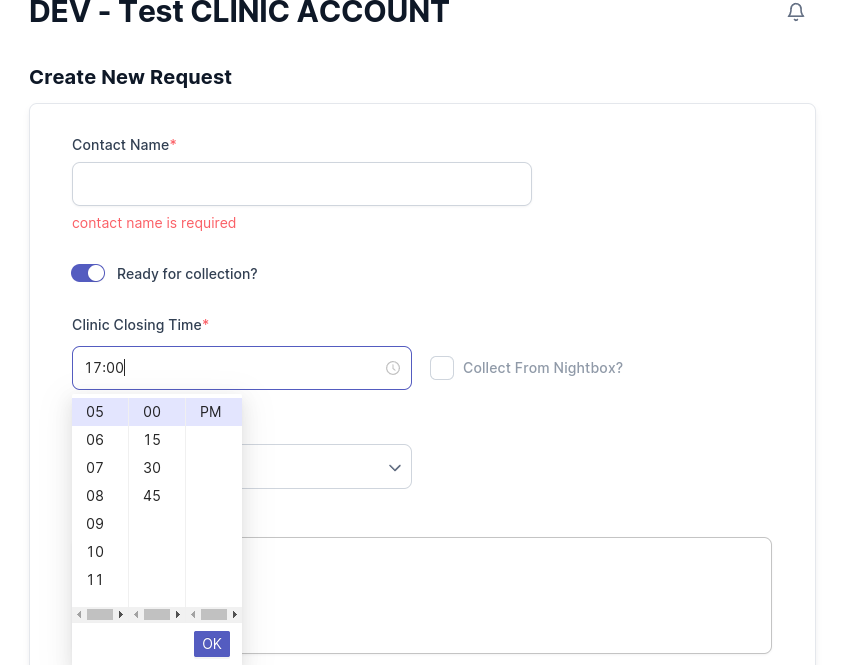
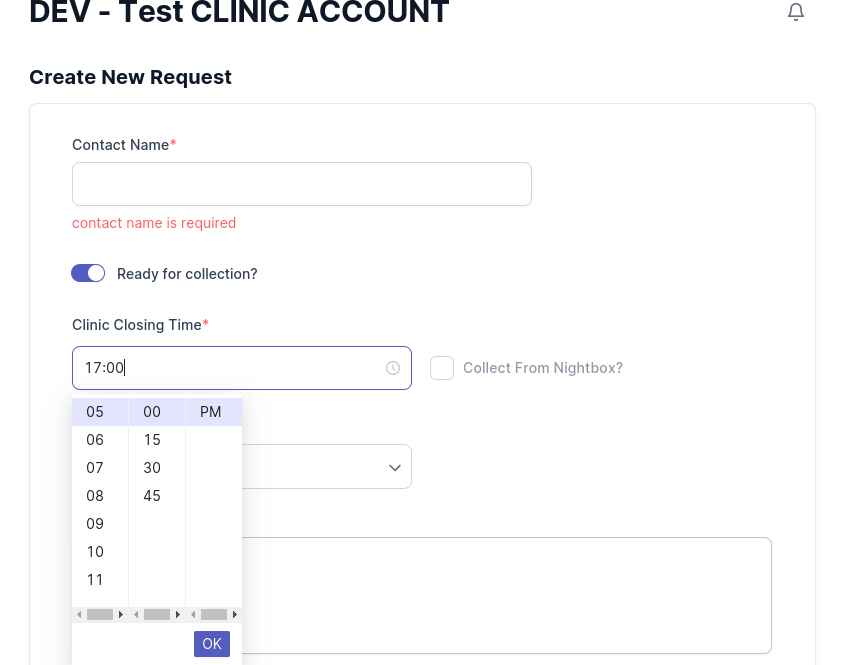
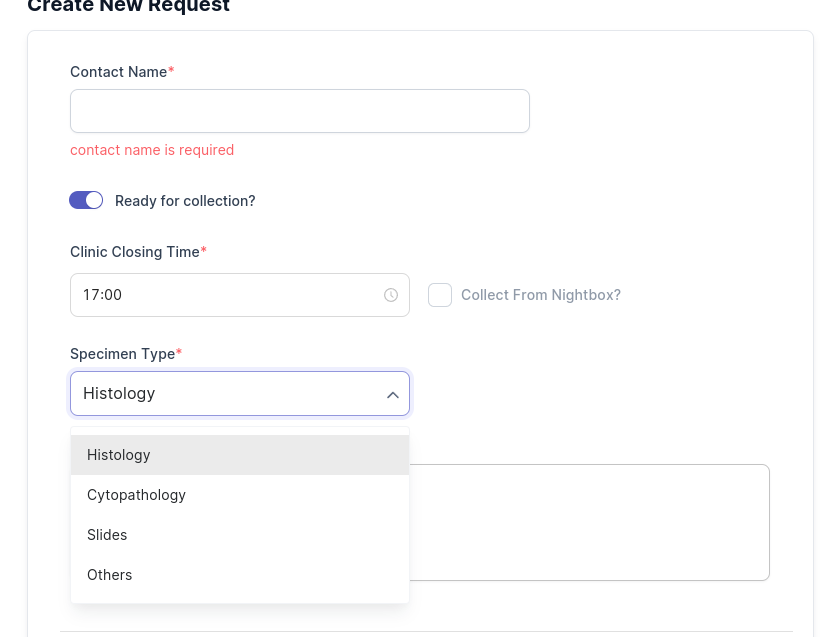
        Select your clinic closing time 


        • image-1663644677638.png

        • Select your specimen type 


        • image-1663644700478.png


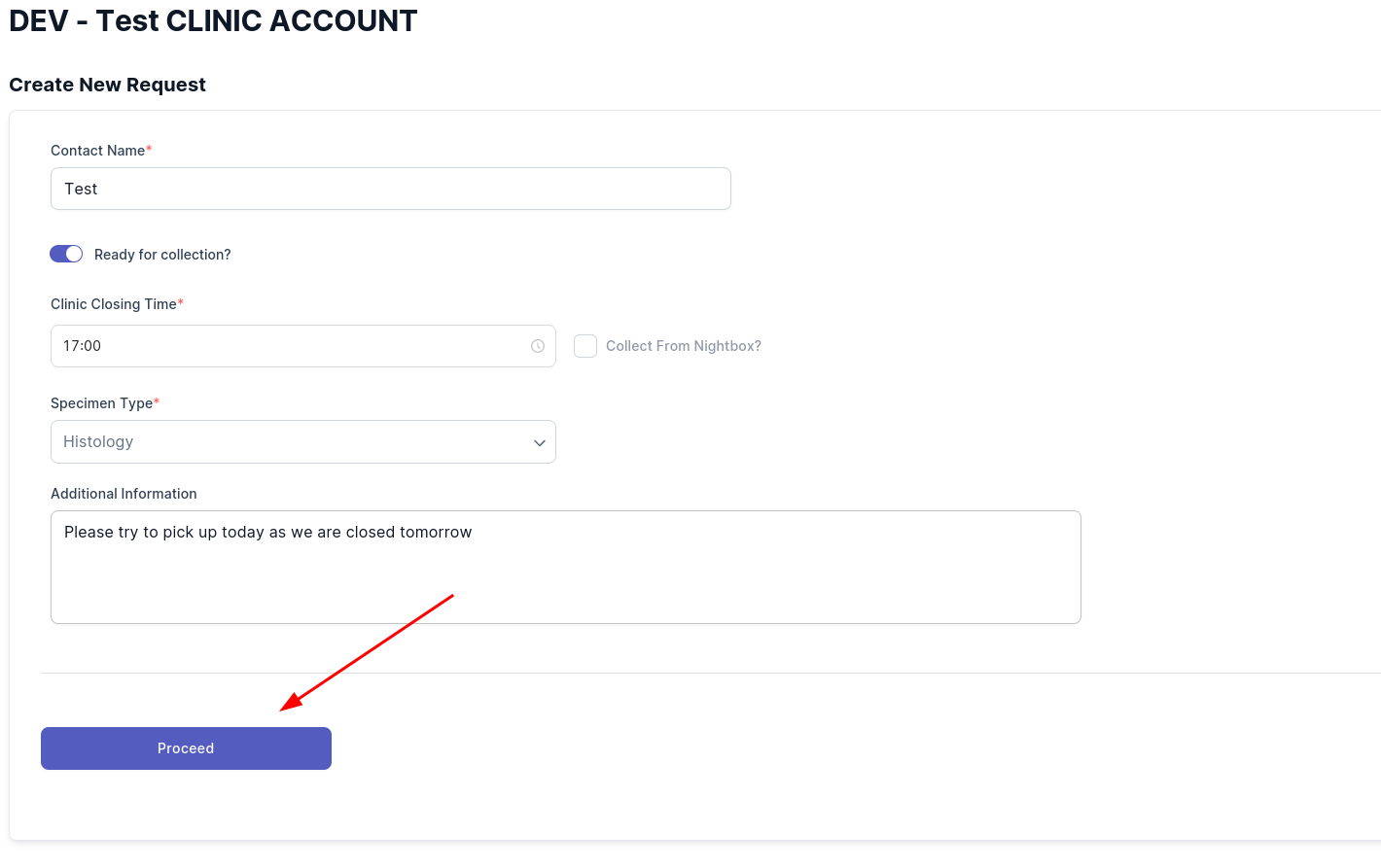
        • Add any additional information if needed 
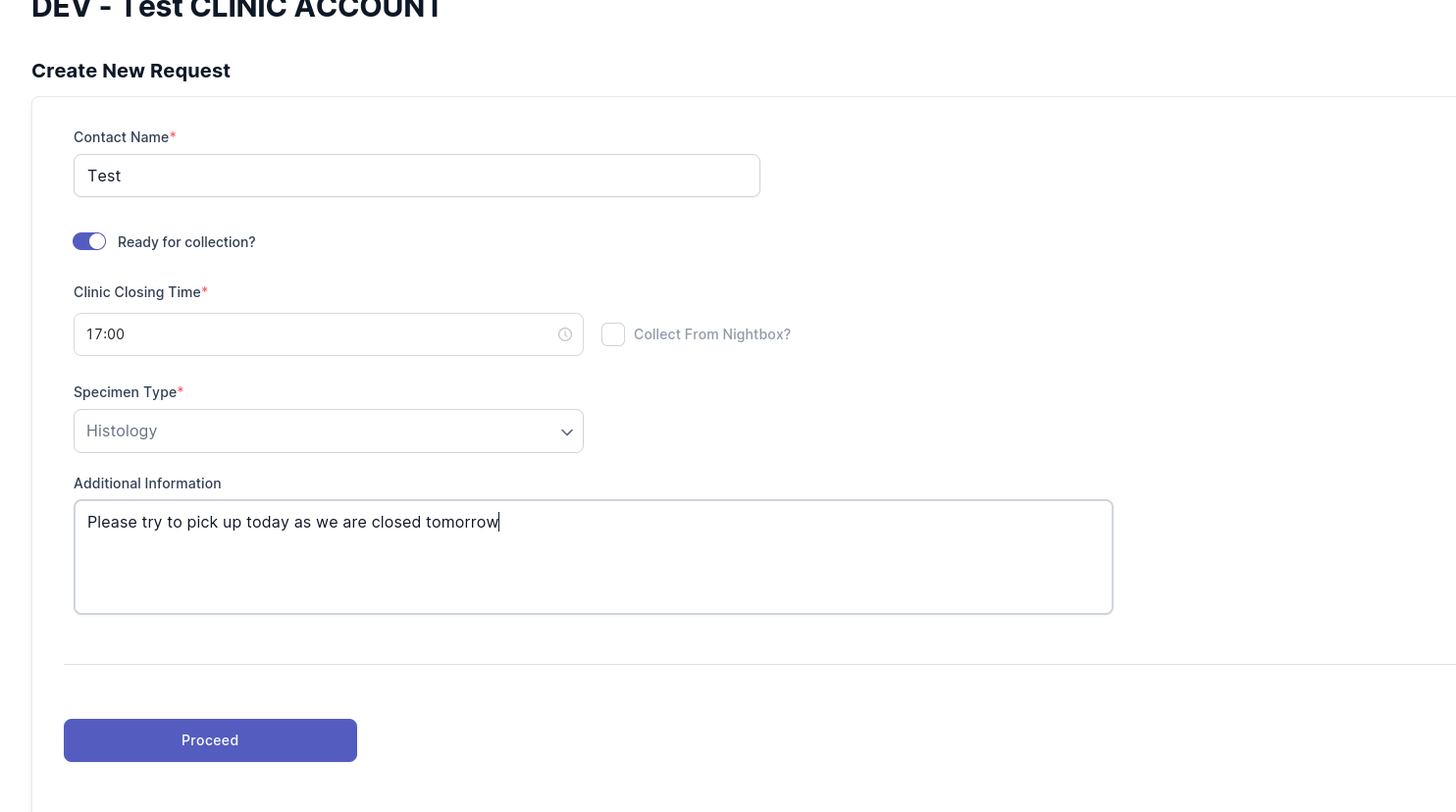
        image-1663648771321.png


        • Click on the `Proceed` button 

        image-1663648819665.png

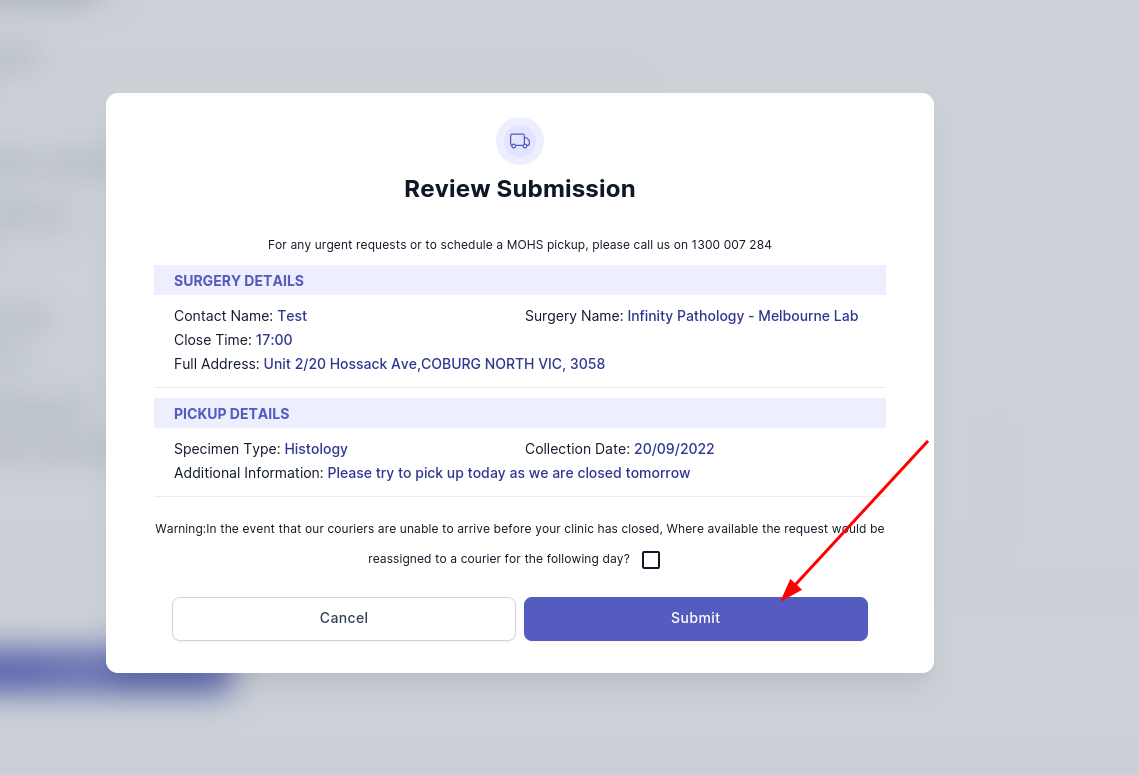
        • Click on submit button 

        image-1663648932823.png

        • If you received this message, the pick up request has been submitted successfully
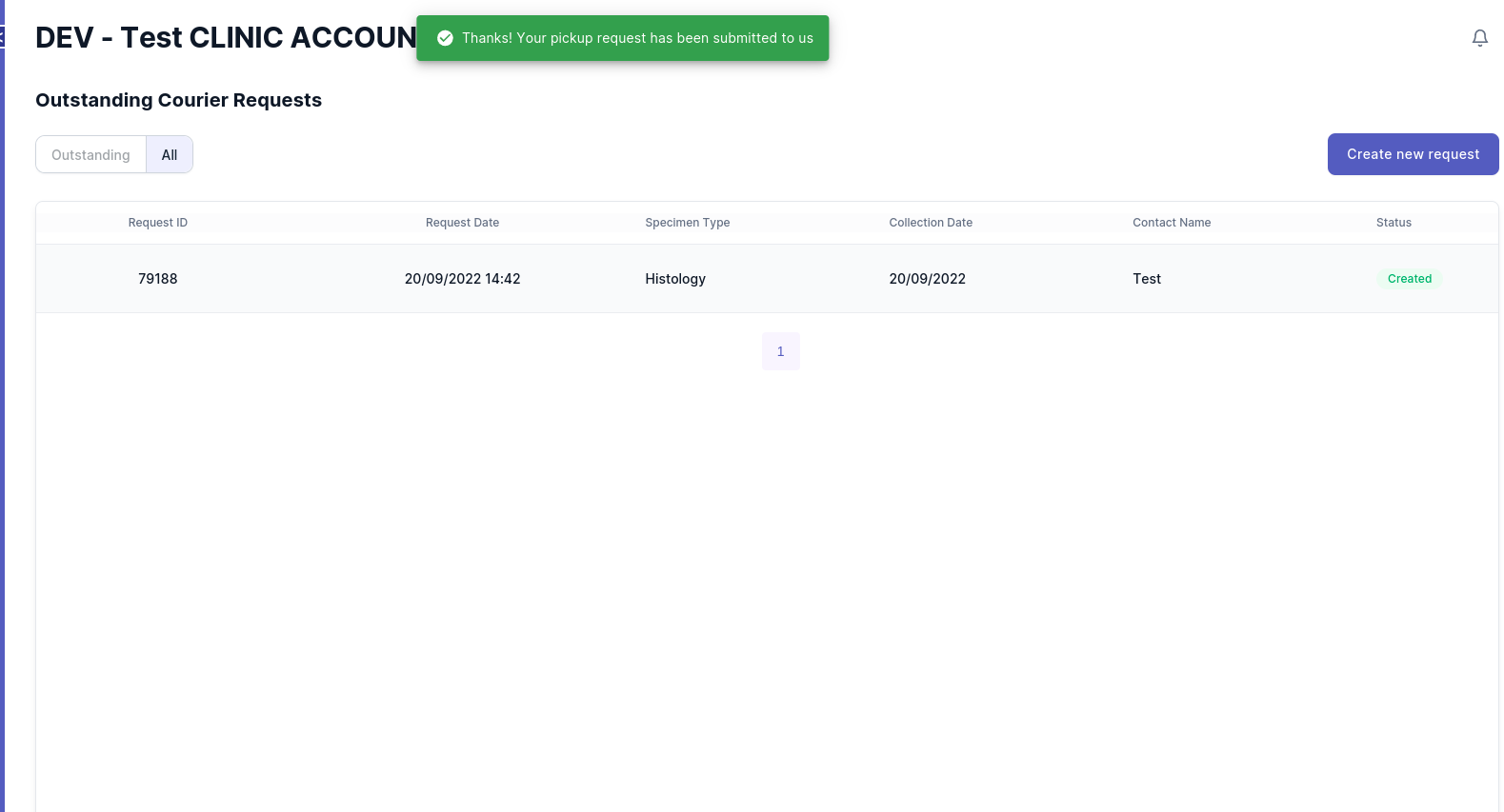
        image-1663649007604.png