Skip to main content
eDoctor
View All
Search
Shelves
Books
Log in
Info
Content
How to create pick up ...
Page Revisions
Revision #27
How to create pick up request (Specimen ready for collection)
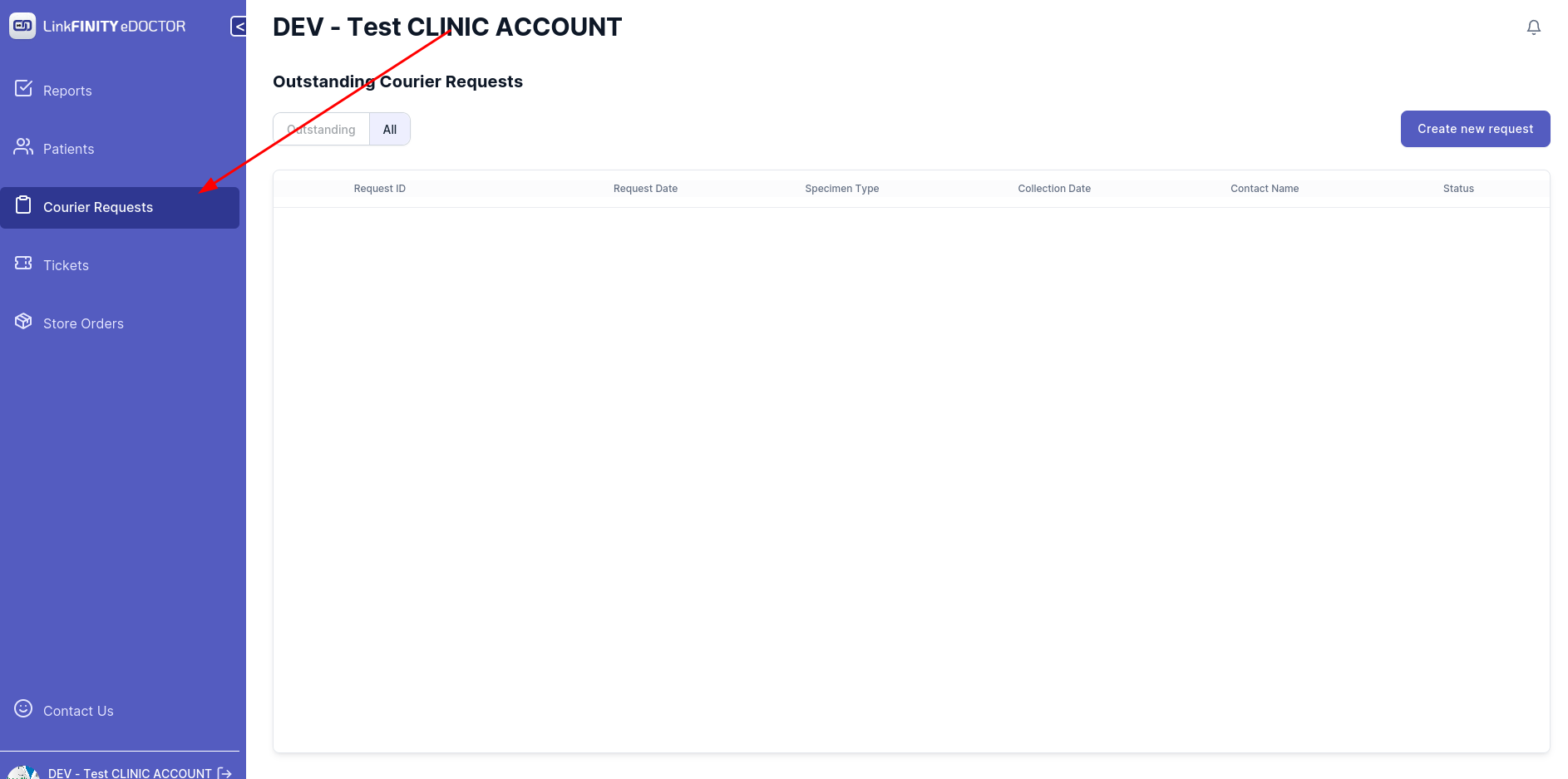
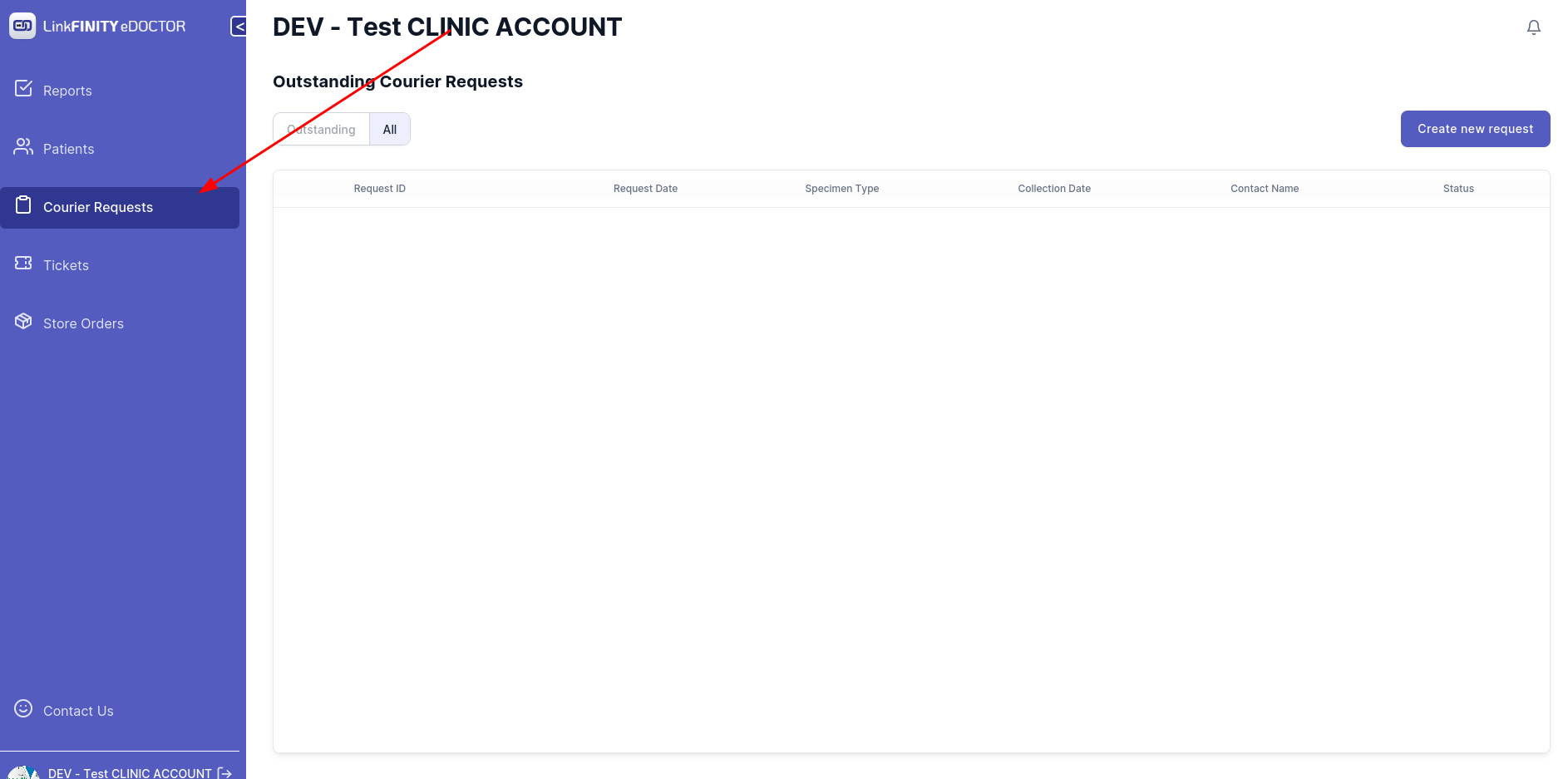
Navigate to Courier Request tab
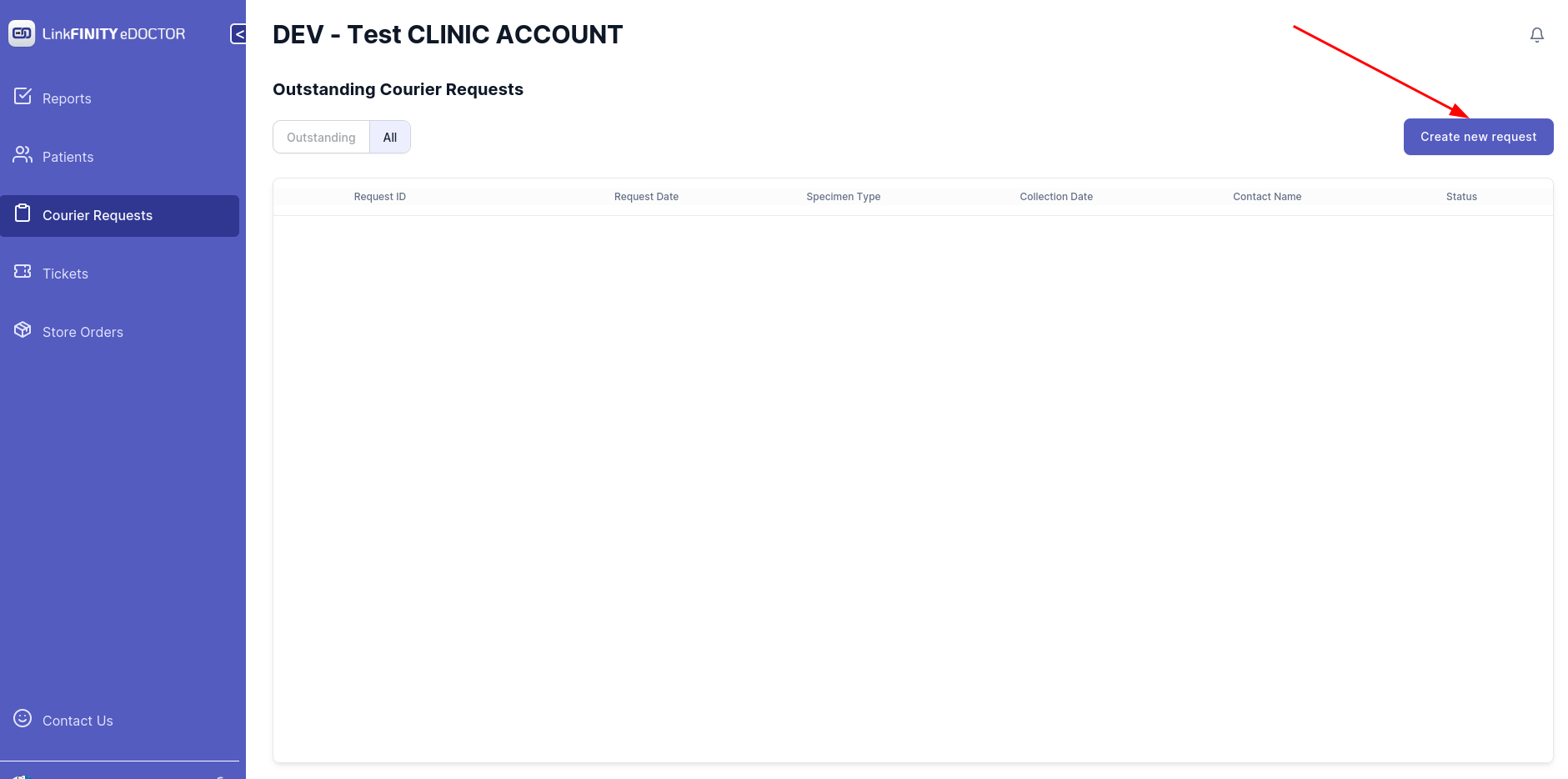
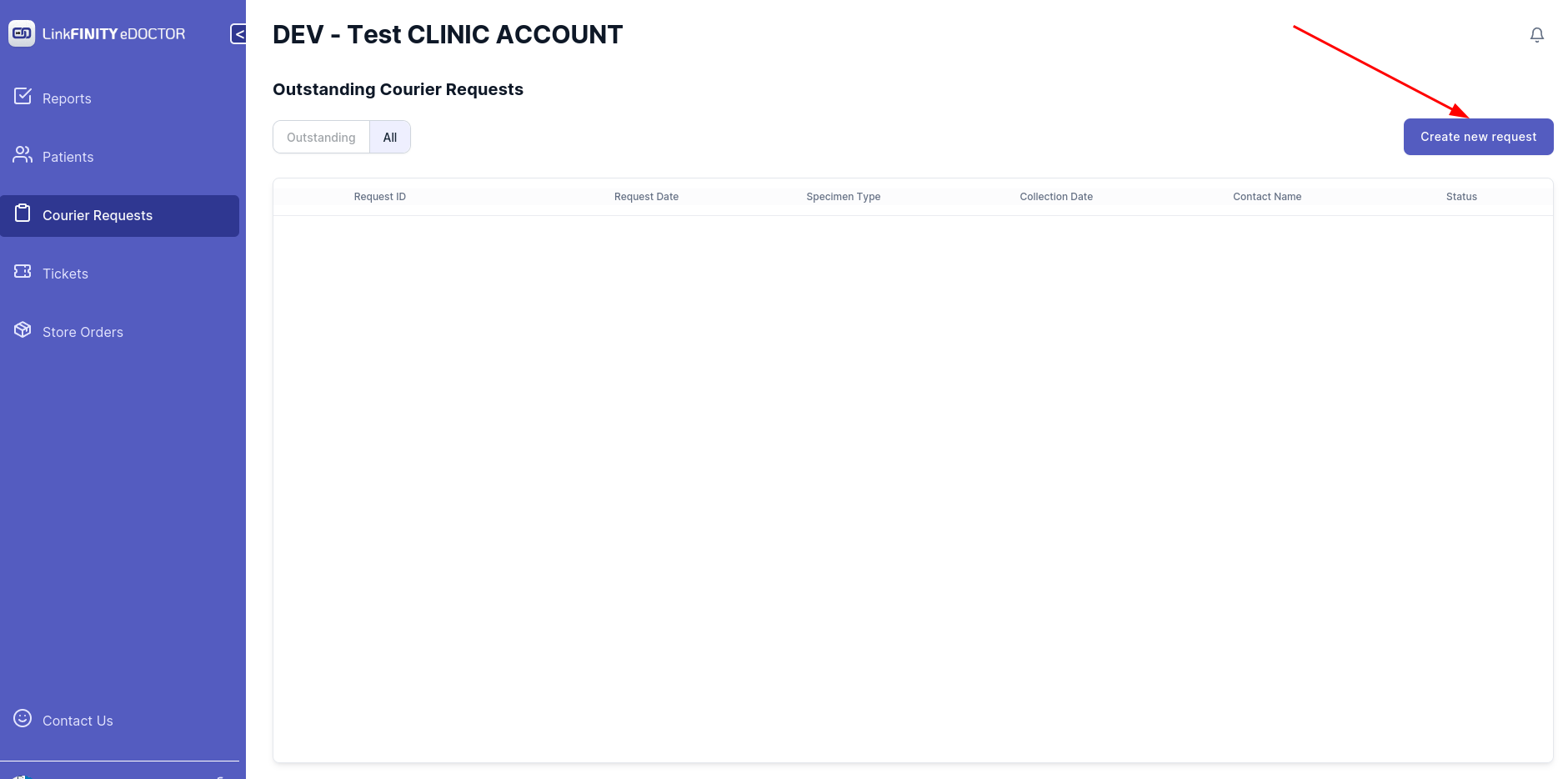
Click on `Create New Request` tab
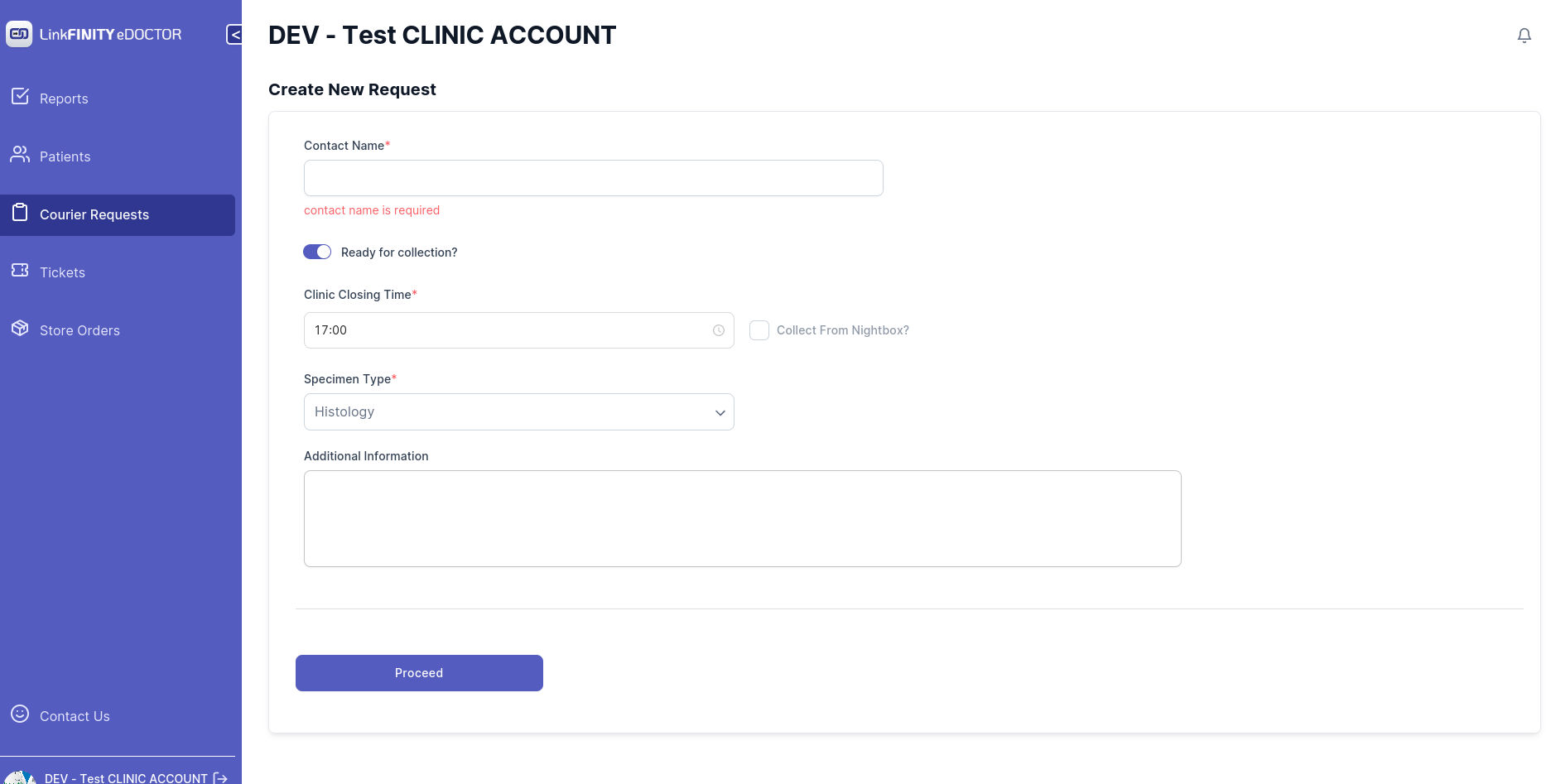
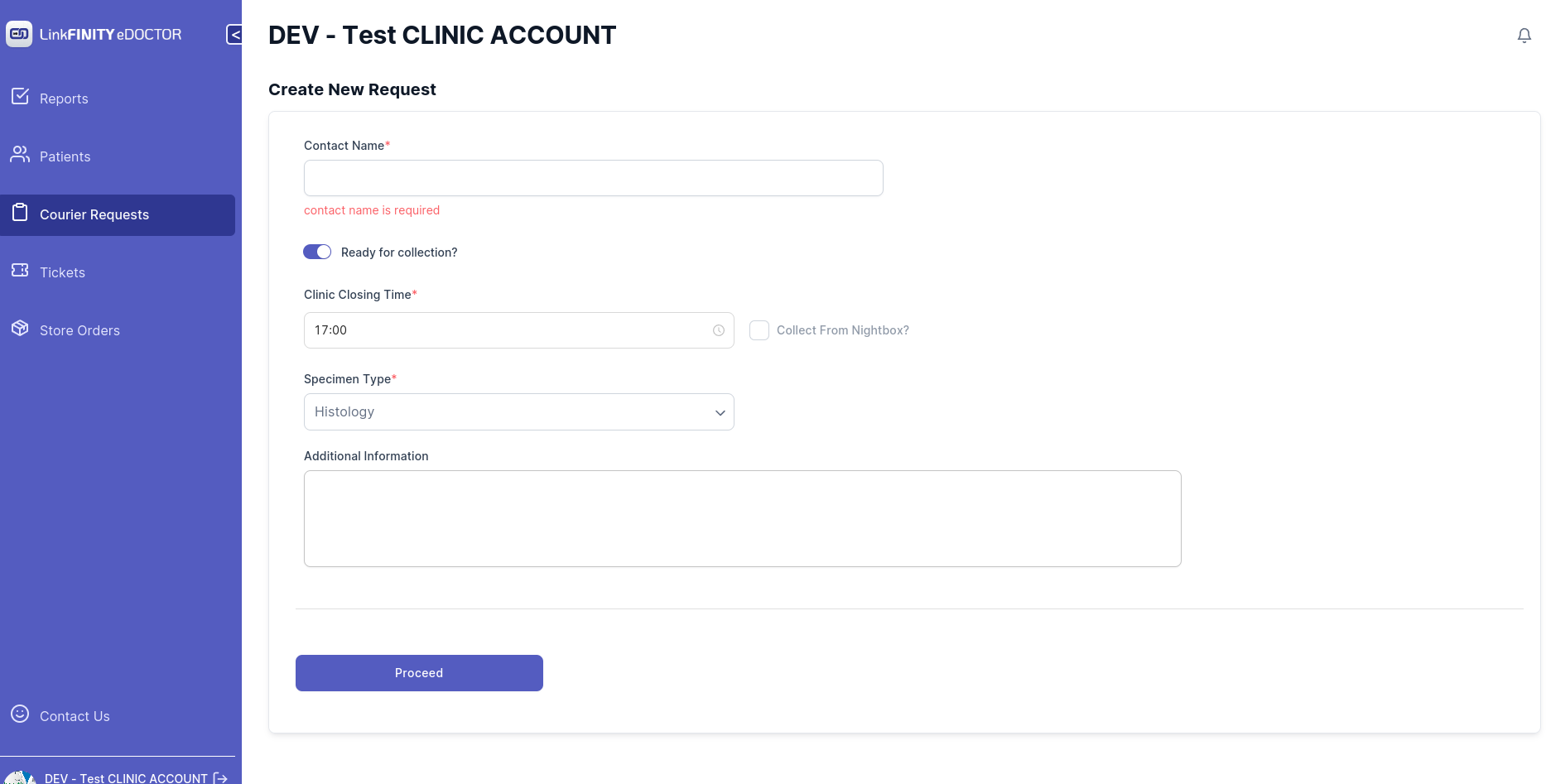
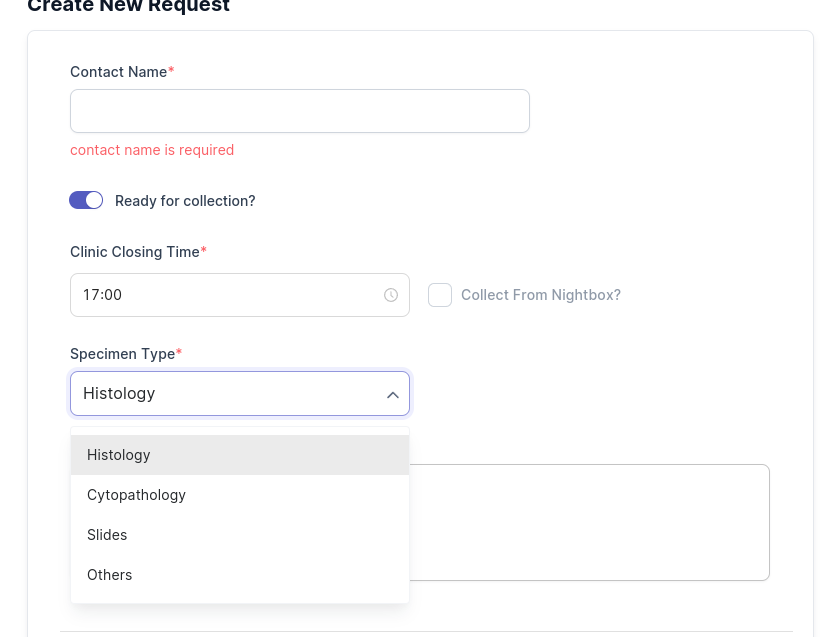
Below page should show up
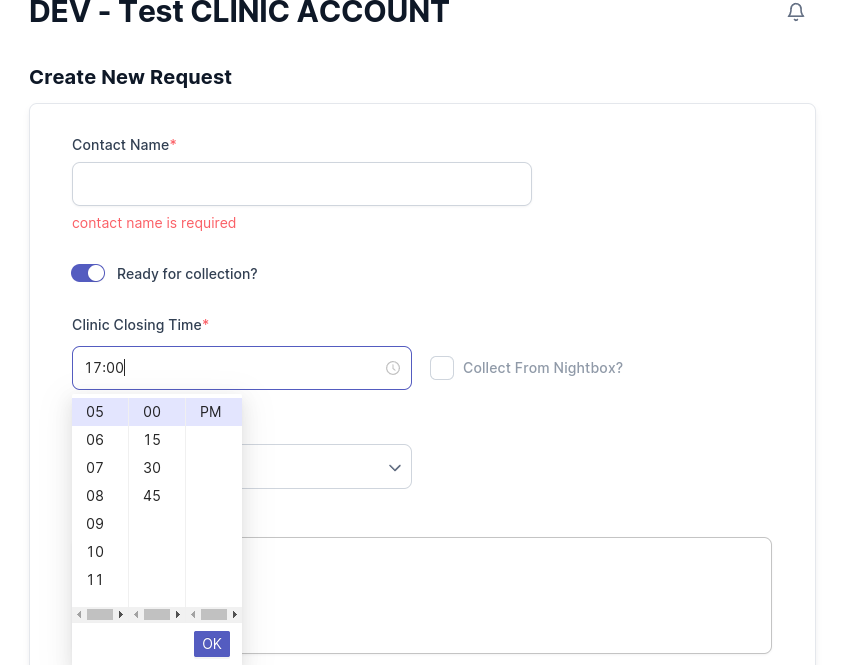
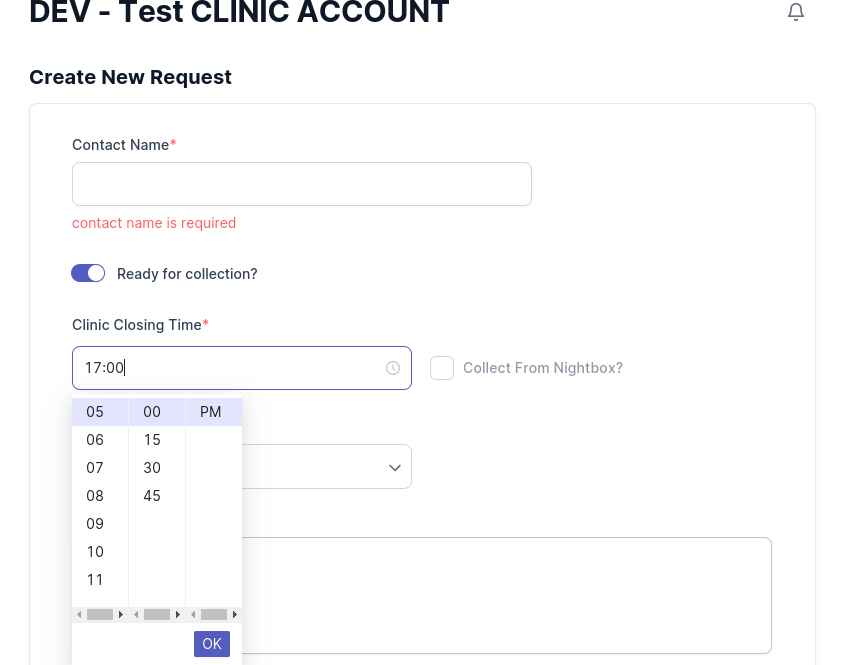
Select your clinic closing time
Select your specimen type
Add any additional information if needed
Back to top