1. Navigate to the Reports tab
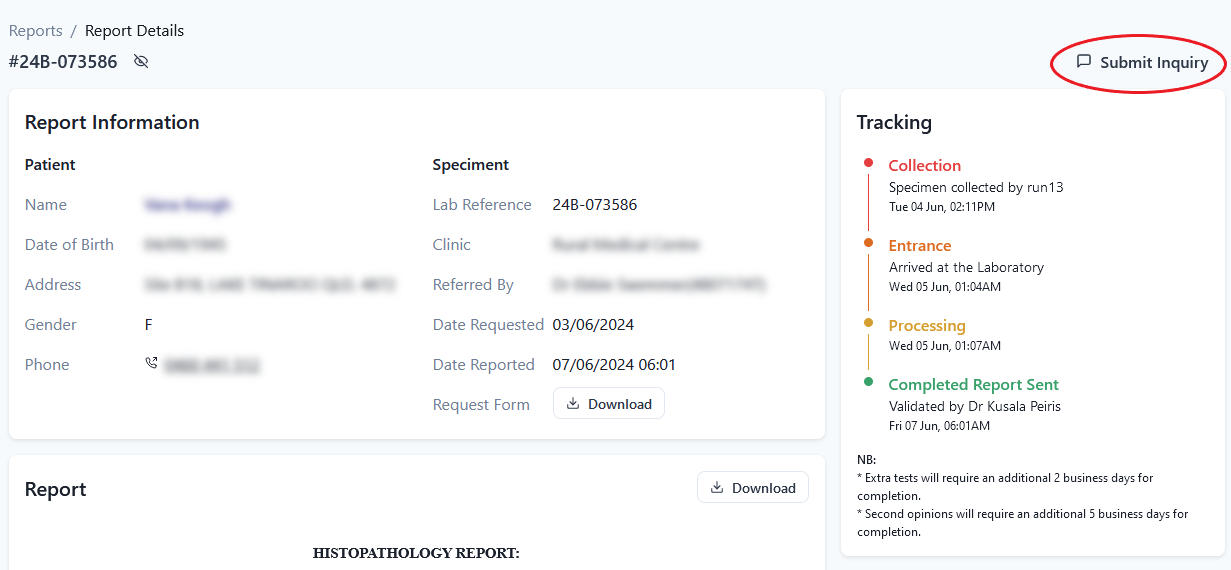
[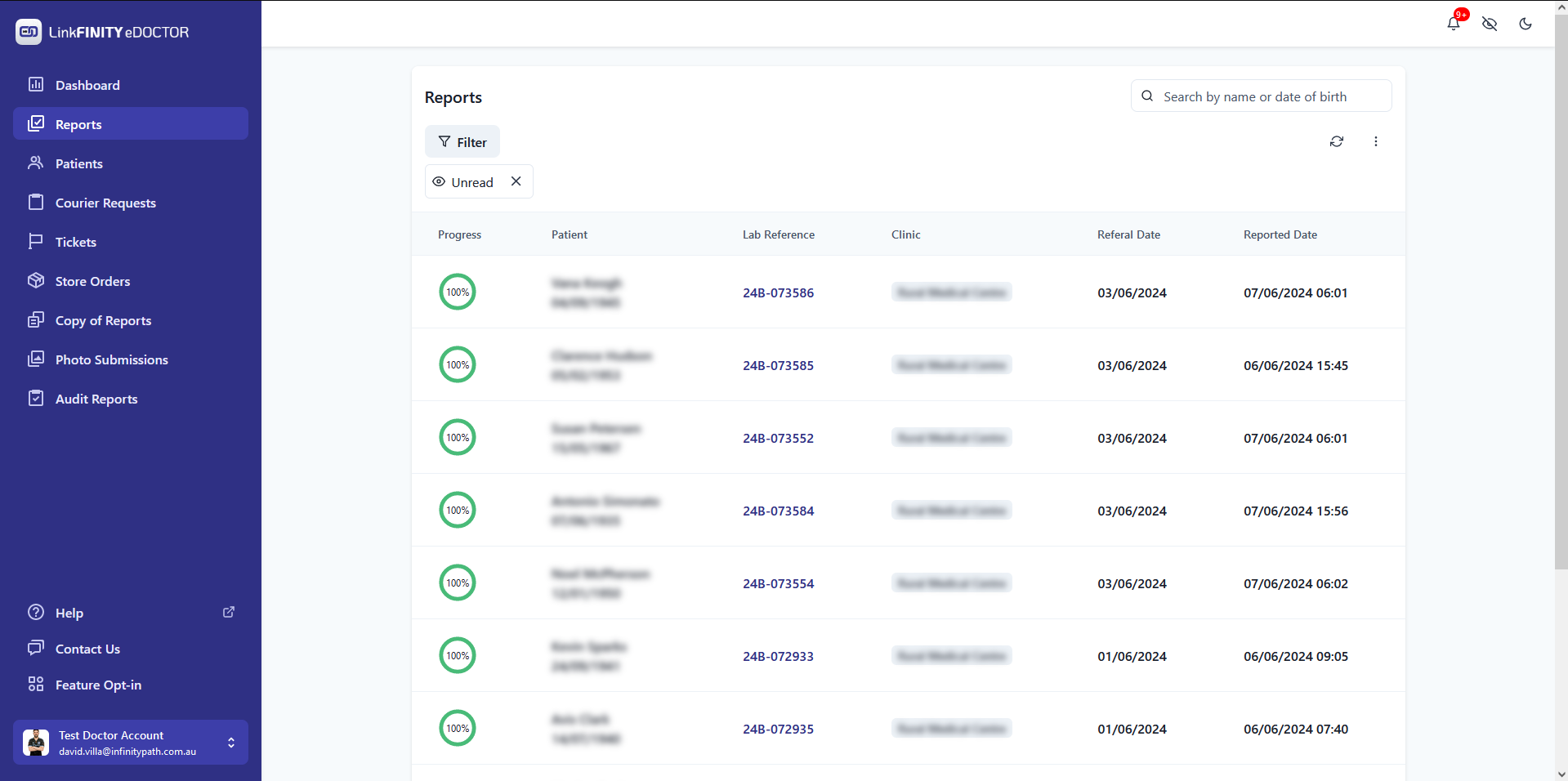](https://edoctor.linkfinity.com.au/kb/uploads/images/gallery/2024-06/1.PNG)2. Click on the report that you would like to create a ticket
3. Click on Submit Inquiry
[](https://edoctor.linkfinity.com.au/kb/uploads/images/gallery/2024-06/2.png)4. Choose a request type and add a descriptive description about the ticket.
[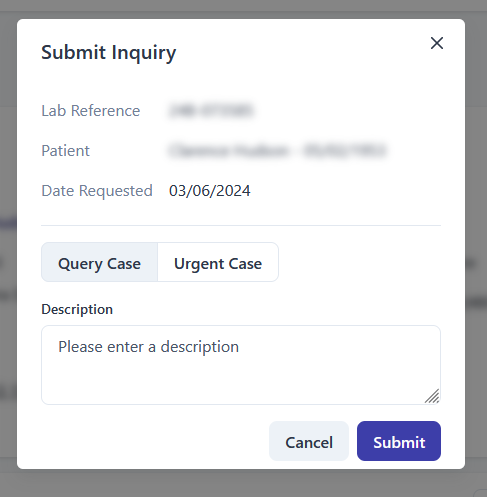](https://edoctor.linkfinity.com.au/kb/uploads/images/gallery/2024-06/gRX3.PNG)5. Click Submit
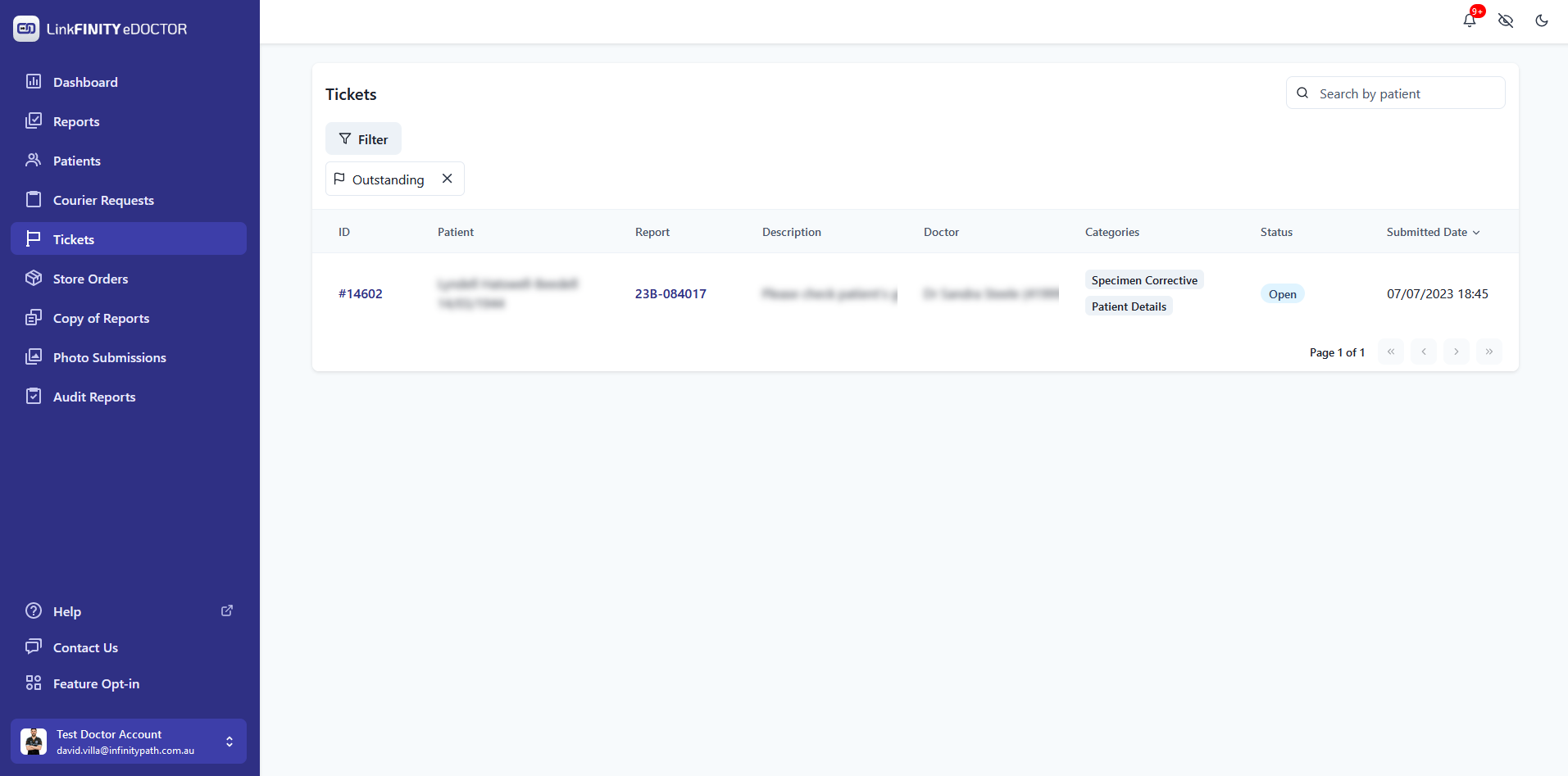
Your can view and track your submitted in the Tickets tab
[](https://edoctor.linkfinity.com.au/kb/uploads/images/gallery/2024-06/4.PNG)